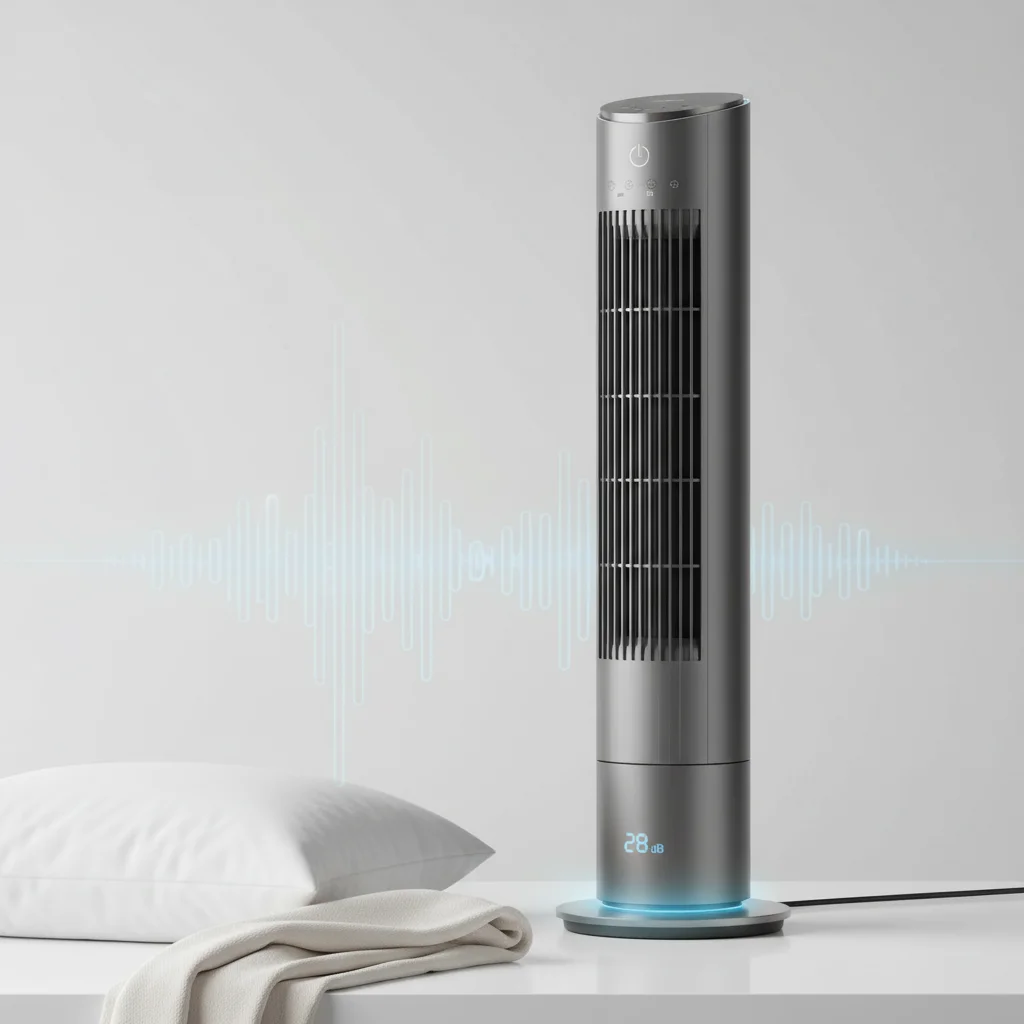
Understanding acceptable tower fan noise levels is crucial for a peaceful environment, especially when using a fan for sleep. Generally, a tower fan producing between 30 to 45 decibels (dB) is considered quiet enough for most people to sleep comfortably. Anything above 50 dB can become disruptive, while fans below 30 dB are often barely audible.
Understanding Decibel Ratings for Tower Fans
Decibel (dB) is the standard unit for measuring sound intensity. For tower fans, a lower decibel rating indicates a quieter operation. Most manufacturers will list the noise level in their specifications, often at the lowest and highest speed settings. It’s important to note that perceived loudness can vary between individuals, but these ratings provide a good objective benchmark. A fan that’s quiet on its lowest setting might still be quite audible on its highest. For expert reviews reviews on this site.
When comparing different models, always look for the decibel range. Some fans are specifically designed with ‘sleep modes’ or ‘quiet settings’ that significantly reduce their operational noise. These features often involve lower fan speeds and sometimes even dimming display lights to minimize disturbances during the night.
Factors Influencing Tower Fan Noise
Several factors contribute to a tower fan’s overall noise level. The motor type plays a significant role; DC motors are generally quieter and more energy-efficient than AC motors. The design of the fan blades and the air intake/exhaust vents also impact sound. Fans with smoother airflow paths and well-balanced components tend to generate less turbulence and, consequently, less noise.
Furthermore, the fan’s age and maintenance can affect its sound. Dust buildup on blades or within the motor housing can lead to increased friction and rattling. A fan that is not placed on a stable, flat surface can also vibrate and create additional noise. Regular cleaning and ensuring proper placement can help maintain a fan’s quiet operation over time.
The Impact of Fan Noise on Sleep Quality
|
Our Picks for the Best Tower Fan in 2026
As an Amazon Associate I earn from qualifying purchases.
|
||
| Num | Product | Action |
|---|---|---|
| 1 | Dreo Tower Fan for Bedroom, 25ft/s Velocity Quiet Floor Fan, 90° Oscillating Fans for Indoors with 4 Speeds, 4 Modes, 8H Timer, Bladeless Fan, Standing Fans, Silver, Nomad One (DR-HTF007) |

|
| 2 | DREO Tower Fan for Bedroom, 4 Speeds, 3 Modes Standing Fans for Room with 90° wide Oscillating, 28dB Quiet for Sleep, 25ft/s Velocity, 29ft Coverage, 8H Timer, Remote, Living Room, Office, Home, White |
|
| 3 | Dreo Tower Fan for Bedroom, 90° Oscillating Standing Fans for Room with 4 Speeds, 3 Modes, 28dB Quiet for Sleep, 25ft/s Velocity, 8H Timer, Remote, Living Room, Office, Home, Black |
|
| 4 | Lasko High Velocity Oscillating Tower Fan for Bedroom, Garage, Basement, and Gym with Remote Control, Timer, 3 Powerful Speeds, 35" Silver/Black, U35115 |
|
| 5 | LEVOIT Tower Fan for Bedroom, 25ft/s Velocity Standing Fan with 28dB Quiet for Sleep, Remoter, 12H Timer, 5 Speeds, 4 Modes, 90° Oscillation for Home, Office, Indoor, Bladeless 36 inch, White |
|
| 6 | PELONIS 40-Inch Tower Fan for Bedroom, Fan That Blows Cold Air, Oscillating Fan with Innovative Washable Design, 2000 CFM, 28ft/s Airflow, 4 Speeds + 2 Modes, 90° Oscillation, 23dB Quiet |
|
| 7 | Lasko Elevation Adjustable Tower Fan 42”-54”, Pedestal Fan, 31 ft/s Airflow, Quiet 28 dB, 90° Oscillation, 12h Timer, Remote, Black, EST100 |
|
| 8 | Honeywell QuietSet Whole Room Oscillating Tower filter Fan with Remote, White, HYF260 |
|
| 9 | Dreo Tower Fan for Bedroom, 2026 Upgraded DC Motor, 28ft/s High Velocity, 20dB Ultra Quiet Standing Fan, 8 Speeds 4 Modes, 90° Oscillating Bladeless Fan for Indoors, Floor Fans with Remote, Black |
|
| 10 | Honeywell QuietSet Whole Room Tower Fan-Black, Oscillating Tower Fan with Remote, HYF290B |
|
While some people find white noise from a fan conducive to sleep, excessive or inconsistent noise can disrupt sleep cycles. Studies suggest that continuous noise below 40 dB is generally well-tolerated, but sudden changes in sound or levels above 50 dB can lead to awakenings and lighter sleep stages. Choosing a fan with a consistent, low hum rather than a fluctuating or rattling sound is key for restful sleep.
Consider where the fan will be placed in relation to your bed. A fan positioned further away might be less disruptive even if its decibel rating is slightly higher. Also, think about other ambient noises in your bedroom. If your room is already very quiet, even a moderately quiet fan might seem loud.
Tips for Reducing Tower Fan Noise
- Regular Cleaning: Dust and debris can accumulate on blades and grilles, causing rattling and reduced efficiency. Use a soft brush or vacuum to clean these areas regularly.
- Stable Placement: Ensure your fan is on a flat, stable surface to prevent vibrations and wobbling. Rubber feet or a non-slip mat can help absorb vibrations.
- Check for Loose Parts: Periodically inspect the fan for any loose screws or components that might be causing rattling sounds.
- Lubricate Bearings (if applicable): For older fans, motor bearings might dry out. If you’re comfortable with minor DIY, a small amount of lubricant can sometimes quiet a noisy motor.
- Consider a DC Motor Fan: If you’re in the market for a new fan, prioritize models with DC motors, as they are inherently quieter and more energy-efficient.
Recommended Quiet Tower Fan Features
When shopping for a quiet tower fan, look for specific features that contribute to low noise levels. Fans with multiple speed settings allow you to choose the quietest option that still provides adequate airflow. Sleep modes, as mentioned, are designed to operate at the lowest possible decibel levels. Some advanced fans incorporate sound-dampening materials in their construction to further reduce operational noise.
Additionally, consider fans with a wide oscillation range, as this can distribute air more effectively at lower speeds, reducing the need to run the fan at its highest, noisiest setting. Reading reviews that specifically mention noise levels and user experiences with quiet operation can also be very helpful in making an informed decision.

I appreciate the info on what’s considered quiet for sleep, around 30-45 dB. I bought a fan that claimed to be 40 dB, but on the higher settings, it’s definitely louder than I expected. It’s fine for daytime use, but for sleeping, I have to keep it on the absolute lowest setting, which doesn’t always provide enough airflow. Wish I’d paid more attention to the ‘highest speed’ decibel rating too.
This was a great breakdown of tower fan noise levels. I always just assumed ‘quiet’ meant quiet, but understanding the 30-45 dB range for sleep is a game-changer. My old fan was probably pushing 50 dB, and I just thought that was normal. Now I know what to look for when I upgrade. It’s made me realize why I was always tossing and turning.
I’m so glad I read this before buying a new tower fan. The explanation about how anything above 50 dB can be disruptive really resonated with me, as my old fan was definitely in that category. I specifically looked for one under 40 dB and it’s been perfect. The gentle hum is actually soothing now, instead of annoying. Thanks for the clear guidance on decibel ratings!
I’ve been struggling to find a fan that doesn’t sound like a jet engine, especially since I’m a light sleeper. This guide on decibel levels was super helpful. I ended up getting a model that was rated at 35 dB on its lowest setting, and it’s made a huge difference. I can finally sleep through the night without being woken up by fan noise. Highly recommend paying attention to those dB ratings!